Showing posts with label Social network service. Show all posts

Social Network Niche Sharing

After reading Kurt Starne's article on Going Native In The Age Of Aggregation, I knew there were people like I who are tired of jumping hoops, making social network services connect with each other, and seeing duplicates in the same sites. I used to do a one click sharing to the SNS world, but doing that just made my sites feel like soup with too much water in it.

In response, I'm thinking of approaching these sites like how I would write for blogs: niche sharing. Niche sites cater to a community that has particular needs and interests (example, MMORPG.com is for MMO gamers, TechCrunch is for techies and gadget lovers, etc.). Looking at my main SNS (Twitter, Identi.ca, Facebook, and Plurk), I see a trend in my audience's interests and shares that will be the basis of what I'm going to share with them.

Google Buzz: What happened?

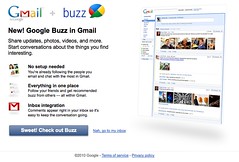
Google Buzz
Image by COG LOG LAB. via Flickr
I am a big fan of Google. I love Chrome, Reader, Wave and almost anything else Google ( I even have an Orkut account for pete's sakes), however their newest foray into the socialsphere, Google Buzz, needs to be overhauled immediately.

On the first two days (gosh, even on the Q & A portion of the Google Buzz launch), all I read was how it was almost like Friendfeed. However, I consider Google Buzz as Friendfeed vanilla ultra lite. It doesn't even come close to what Friendfeed is today even after its creators left for Facebook.

A large concern for its early users was the security flaw that opened up their Google Profiles to outside people to look at who their contacts are and who they chat most with. With so much noise on this issue, Google has decided to do something about it by emphasizing the option to have the people you follow and contact with remain private. 

My personal concern here is how to reign in all the noise. For example: I'm a Robert Scoble follower because I like reading his status updates but his Buzzes (jeesh even his Friendfeed posts before) gets quite a lot of responses  that it keeps popping on top of the Buzz list that I fail to see other Buzzes below. I know it's a testament to the man's power to connect with a lot of people, but I'm now muting his lengthy buzzes just to read the other people I'm following. I'm not sure if he likes being muted by hundreds of people, but I definitely won't like it.

There's no way to categorize people I follow. Reading my Buzz list is like reading a newspaper that updates itself every few minutes and not knowing whether I'm at the Sports or Business page. Again, comparing to my Friendfeed experience, I was able to sort out the noise by putting people I follow in different categories thus allowing me to view them whenever I feel like it. Unlike in Google Buzz now where different topics pop up, making me feel disoriented.

Since Google Buzz is still a few days old, I expect it to make strides in its development, but until they've been able to put in user controls that makes the noise easier to organize, I'll be hanging out somewhere else.


Zemanta helped me add links & pictures to this email. It can do it for you too.
A few days ago, I wrote about how I push my blog's feeds to the SNS universe, now I'll be showing how I push my Google Reader Shares to it as well. Although Google Reader has just provided support to it's sharing features by adding a "Send To" link to almost any site you want, it still requires you to click on each SNS site, go that site's page, and manually click on sending it; I want things simpler: ONE CLICK and send my Google Reader shared items to everywhere I want.

Here's how I do it:

How I push my posts to the SNS universe

Image representing Blogger as depicted in Crun...Image via CrunchBase
For most bloggers who want to easily reach out to the Tweeterverse, the news from Blogger would be a heavensent:
Tweeting your new blog posts is a great way to engage your readers, and something that many on the team have taken advantage of for our own blogs. An easy way to do this is through Twitterfeed, which automatically updates Twitter with each new blog post.


Linkwithin

Related Posts with Thumbnails
top